
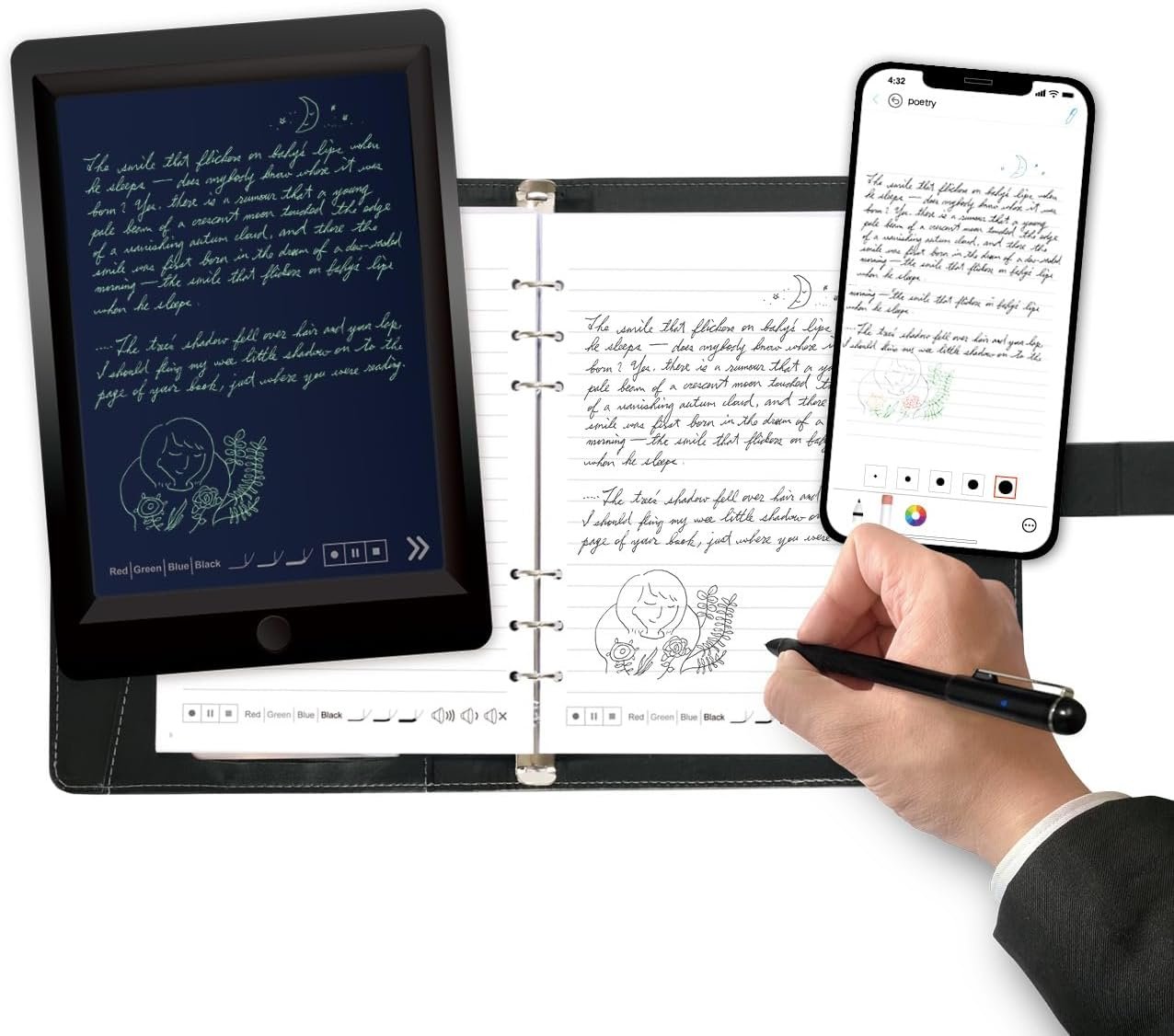


Smart Sync Pen for Note Taking: A Comprehensive Review
Overview
The Smart Sync Pen for Note Taking, bundled with a notebook and writing board, aims to bridge the gap between traditional writing and modern digital technology. With features like real-time synchronization, OCR handwriting recognition, and the ability to store and share notes through a dedicated app, this product is tailored for students, professionals, and anyone wishing to enhance their note-taking experience. Let’s dive into its strengths and weaknesses.
Features
-
Real-time Synchronization:
The standout feature is its ability to sync written notes in real time to the Ophaya Pro+ app. This seamless integration allows users to capture their handwritten notes instantly, eliminating the need for manual transcription later. The process is straightforward: simply write, and your notes will appear on your smartphone or tablet. -
OCR Handwriting Recognition:
This feature is particularly noteworthy. It converts handwritten text into editable digital text, which can be exported as a Word document or saved in various formats including PDF, PNG, and GIF. This is incredibly useful for organizing and sharing notes without worrying about legibility or manual typing. -
Searchable Notes:
The ability to search handwritten notes using keywords, tags, and timestamps greatly enhances efficiency. This feature ensures you can easily find specific information, saving you valuable time during a busy study session or meeting. -
Audio Recording:
While you write, the pen can record audio, allowing you to sync your notes with corresponding audio for context. This dual functionality becomes invaluable during lectures or meetings, providing additional context to your written notes. -
Offline Storage:
One of the most practical features is offline storage, allowing users to continue writing even when disconnected. Once reestablished to the app, all content will sync, ensuring no vital information is lost during classes or meetings. -
Customizable Settings:
The app allows users to modify pen thickness, color, and even erase text for corrections. This personalization can lead to a more enjoyable writing experience. - Quality Materials:
The notebook and writing board included in the package are made from quality materials. The special dot-code paper facilitates smooth writing while enabling precise digital capture.
User Experience
Upon unboxing, the pen and accessories are well-presented and seem durable. The included PU notebook with 60 sheets serves its purpose well, though one would hope for more refill options in terms of page size or type.
Connecting the smart pen to the app is straightforward. The interface is user-friendly, although some might find the initial setup takes time to familiarize oneself with the numerous features. Once set up, users are likely to be impressed by the accuracy of the handwriting recognition and the fidelity of audio recordings.
Pros
- Efficiency: The ability to sync notes in real time is a real time-saver.
- Versatility: Multiple export formats and audio recording features make this pen multi-functional.
- User-Friendly: The app offers a simple yet effective interface, making it easy for users to navigate their notes.
- Durability: Both the pen and writing materials are sturdy, catering to everyday use.
Cons
- App Dependency: The product relies heavily on the app for many features. While the app is free, users must download it to fully utilize the pen’s capabilities.
- Compatibility: The pen is specifically designed to work with Ophaya-branded paper, limiting flexibility if you wish to use other notebooks.
- Setup Time: Initial setup and familiarization with the app can be cumbersome for some users.
Conclusion
The Smart Sync Pen for Note Taking delivers well on its promise of transforming traditional writing into a digital format with remarkable ease and efficiency. While it does rely heavily on the app for its functionalities, the benefits of real-time syncing, OCR recognition, and robust audio recording capabilities make it a worthy choice for students and professionals alike.
In terms of value for money, considering the quality of the materials, the versatility of features, and the overall user experience, this smart pen system stands out in the crowded market of digital note-taking solutions.
For those who can adapt to the app’s requirements and appreciate digital integration, this smart pen could revolutionize how you capture and manage your notes. However, if you’re looking for flexibility with paper options or a more analog-friendly approach, this product may not fully meet your needs. Regardless, it’s a fantastic tool for anyone serious about elevating their note-taking strategy into the digital age.
